File Upload and Download
On this page, we will learn how to generate OpenAPI Spec for file upload and download.
File Upload
You can describe the file upload schema with JSDoc tag @mediaType multipart/form-data.
TIP
Also, you can use other media types such as image/png or application/pdf. See OpenAPI File Upload Documentation here.
ts
export type FileApiSpec = Tspec.DefineApiSpec<{
  paths: {
    '/files/upload': {
      post: {
        summary: 'Upload File',
        /** @mediaType multipart/form-data */
        body: {
          file: Tspec.BinaryString;
        },
        responses: { 200: { fileName: string } },
      },
    },
  },
}>;
Generated OpenAPI Spec
yaml
paths:
  "/files/upload":
    post:
      operationId: FileApiSpec_post_/files/upload
      summary: Upload File
      requestBody:
        required: true
        content:
          multipart/form-data:
            schema:
              type: object
              properties:
                file:
                  type: string
                  format: binary
      responses:
        '200':
          content:
            application/json:
              schema:
                type: object
                properties:
                  fileName:
                    type: string
Then, you can see the file upload form in Swagger UI. 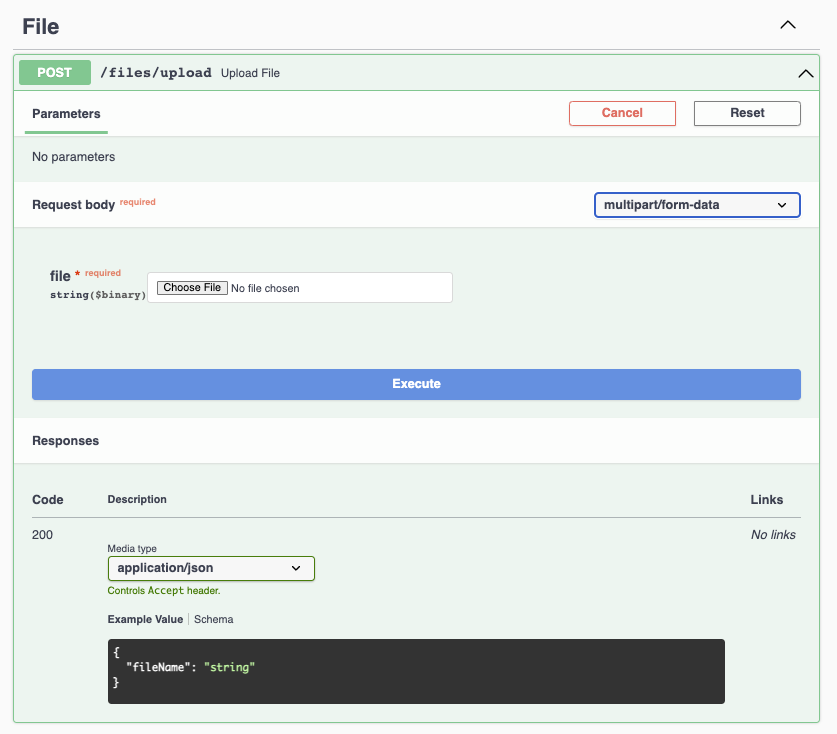
File Download
You can describe the file download schema with JSDoc tag @mediaType application/octet-stream.
TIP
Also, you can use other media types such as image/png or application/pdf. See OpenAPI Describing Responses Documentation here.
ts
export type FileApiSpec = Tspec.DefineApiSpec<{
  paths: {
    '/files/download': {
      get: {
        summary: 'Download File',
        responses: {
          /** @mediaType application/octet-stream */
          200: Tspec.BinaryString
        },
      },
    },
  },
}>;
Generated OpenAPI Spec
yaml
paths:
  "/files/download":
    get:
      operationId: FileApiSpec_get_/files/download
      summary: Download File
      responses:
        '200':
          content:
            application/octet-stream:
              schema:
                type: string
                format: binary
Then, you can download the file in Swagger UI. 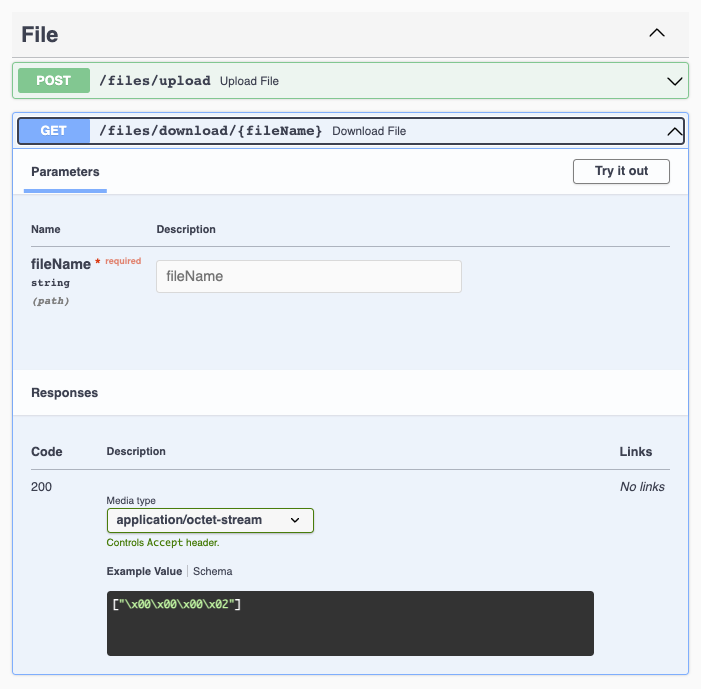
Multiple File Uploads
If you want to upload multiple files, you can use Tspec.BinaryStringArray type.
ts
export type FileApiSpec = Tspec.DefineApiSpec<{
  paths: {
    '/files/multiple-upload': {
      post: {
        summary: 'Upload Files',
        /** @mediaType multipart/form-data */
        body: {
          files: Tspec.BinaryStringArray;
        },
        responses: { 200: { fileNames: string[] } },
      },
    },
  },
}>;